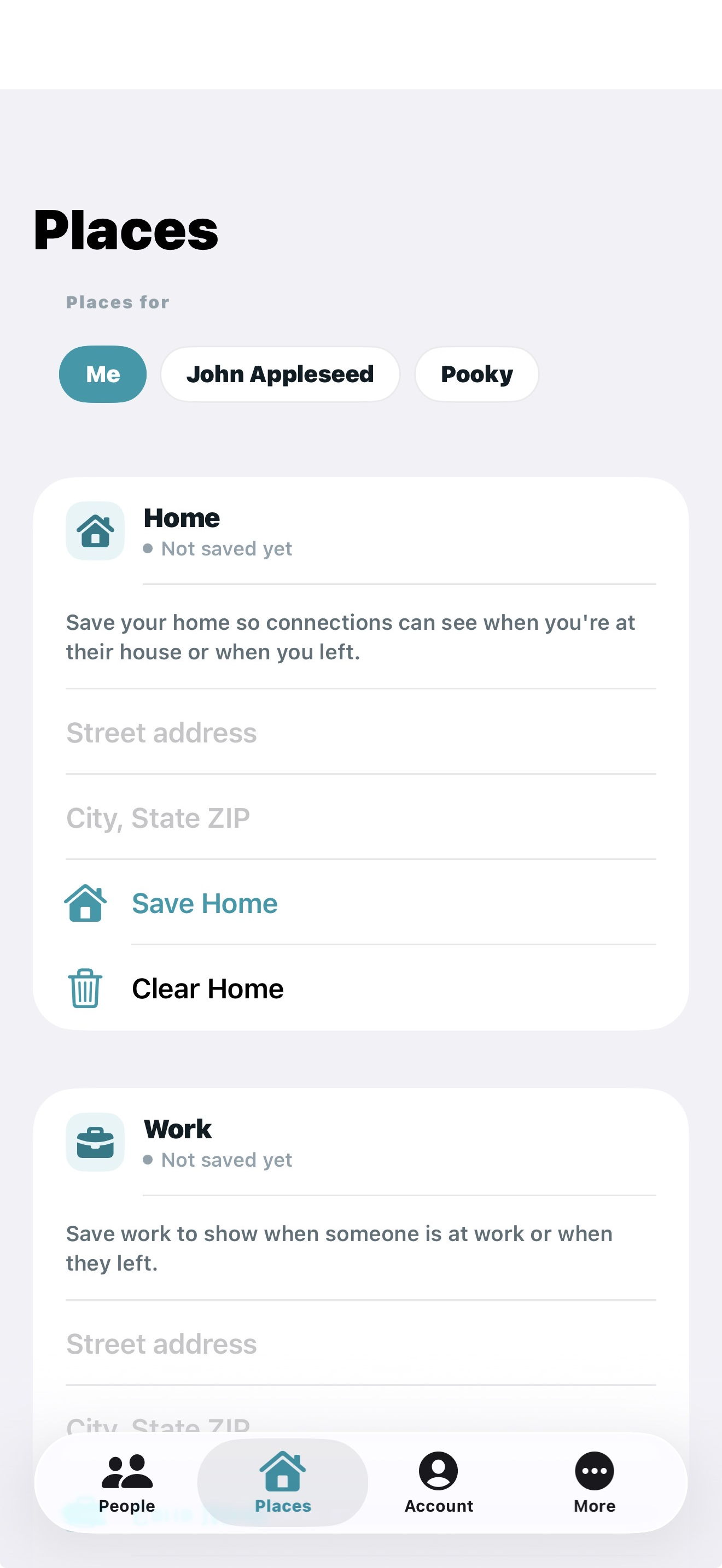
Your loved one is not just a dot on a map.

Every family app shows you where someone is. Omniscient shows you whether they’re okay. See when their phone last moved, get an alert when it goes quiet, and a check-in at the times you choose.

For the people you worry about. A parent living alone. A grandparent. Someone far away.

OMNISCIENT7:30 AM
Mom is probably up
Mom’s phone moved at 7:12 this morning, at home. Battery 74%.

She can even keep her location to herself. Movement only shares that her phone moved, never where she is.

Free for 14 days. No card needed. Then one person pays: $4.99 a month covers you and up to 3 people.

MomAt home
LAST MOVED
19 min ago
Updated just now · Battery 74%
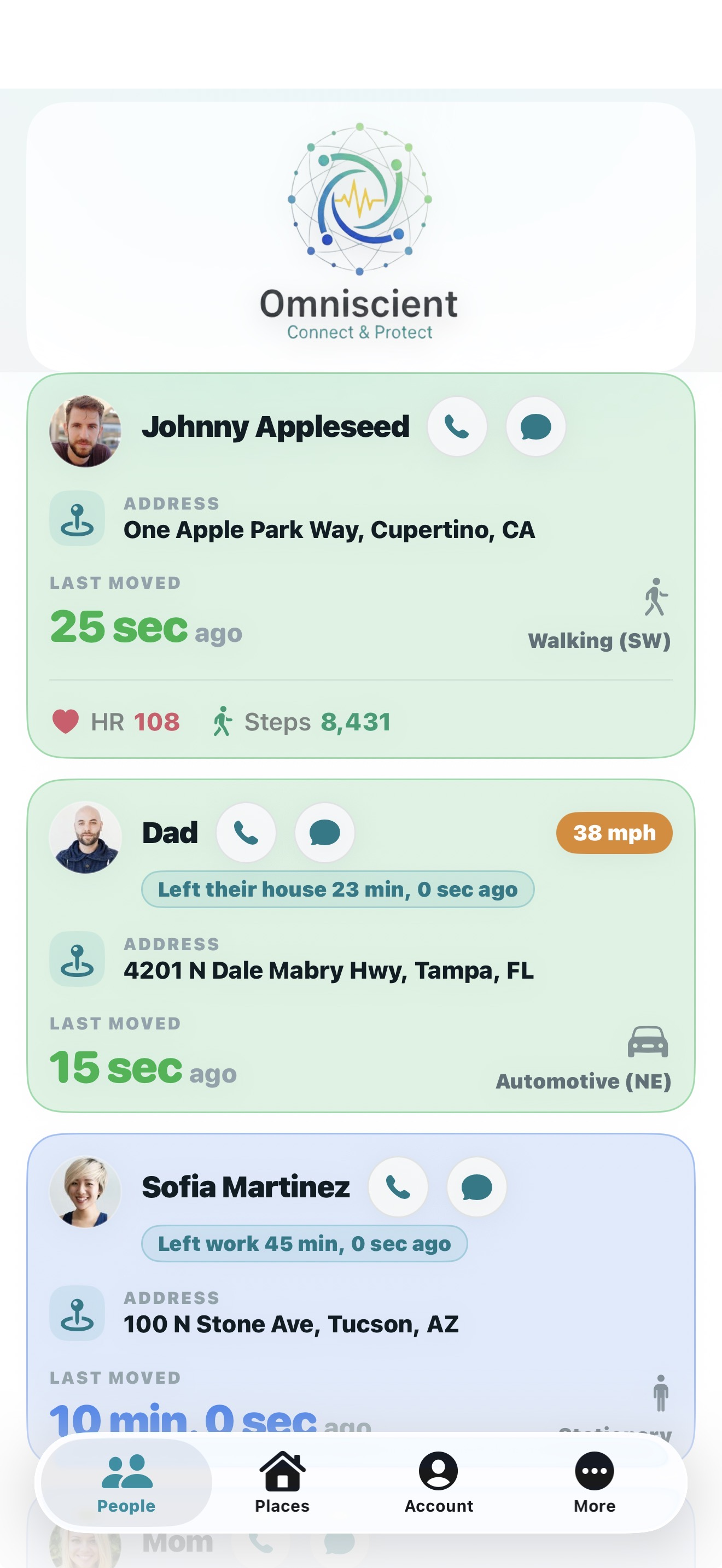
Omniscient People screen: last moved, address, and a red On phone while driving badge
A driver picking up their phone gets a red flag the instant it happens
Weekly driving report with a fair score
40 seconds

Your loved one is not just a dot on a map.

What every other family app shows you, what Omniscient shows you instead, and the notifications you get.

Sound on — the narration carries it. The people shown are fictional examples.

The full story, two and a half minutes: why it exists, Mom’s card, check-ins, the quiet-phone alert, and what parents of new drivers see.
New · included with your subscription

And now, just ask Siri.

“Hey Siri, ask Omniscient to check on Mom.”

“Mom’s phone last moved 19 minutes ago, at home. Battery 73 percent.”

That phrase works the moment you install — no setup. Siri answers with when her phone last moved, where she is, and her battery, on iPhone, Apple Watch, AirPods, and in the car.

Want it shorter? A 30-second setup lets you say just “Hey Siri, is Mom okay?” Here’s how.

Prefer not to ask? Turn on check-ins and get a notification at the times you choose, up to six a day: “Mom is probably up — her phone moved at 7:40 this morning.”

Siri on iPhone. Check-ins on iPhone and Android.

Everything included

All of it for $4.99 a month. Nothing is an add-on.

  • Last moved — the signal that says they’re probably okay, live while you watch
  • Check-ins, the quiet-phone alert, and Ask Siri — the answer without opening the app
  • Weekly driving reports — miles, trips, hard braking, acceleration, speeding, phone handling, with a score that’s fair by design
  • Driving alerts — a red flag the instant a driver handles the phone, and a notification the moment they pass the speed you set
  • A day at a glance — each person’s stops and drives, up to 14 days back
  • Where they are — address, distance from you, and your own labels like Home or Chase’s house
  • Health and battery — heart rate and steps from Apple Watch or the phone, battery and Low Power Mode
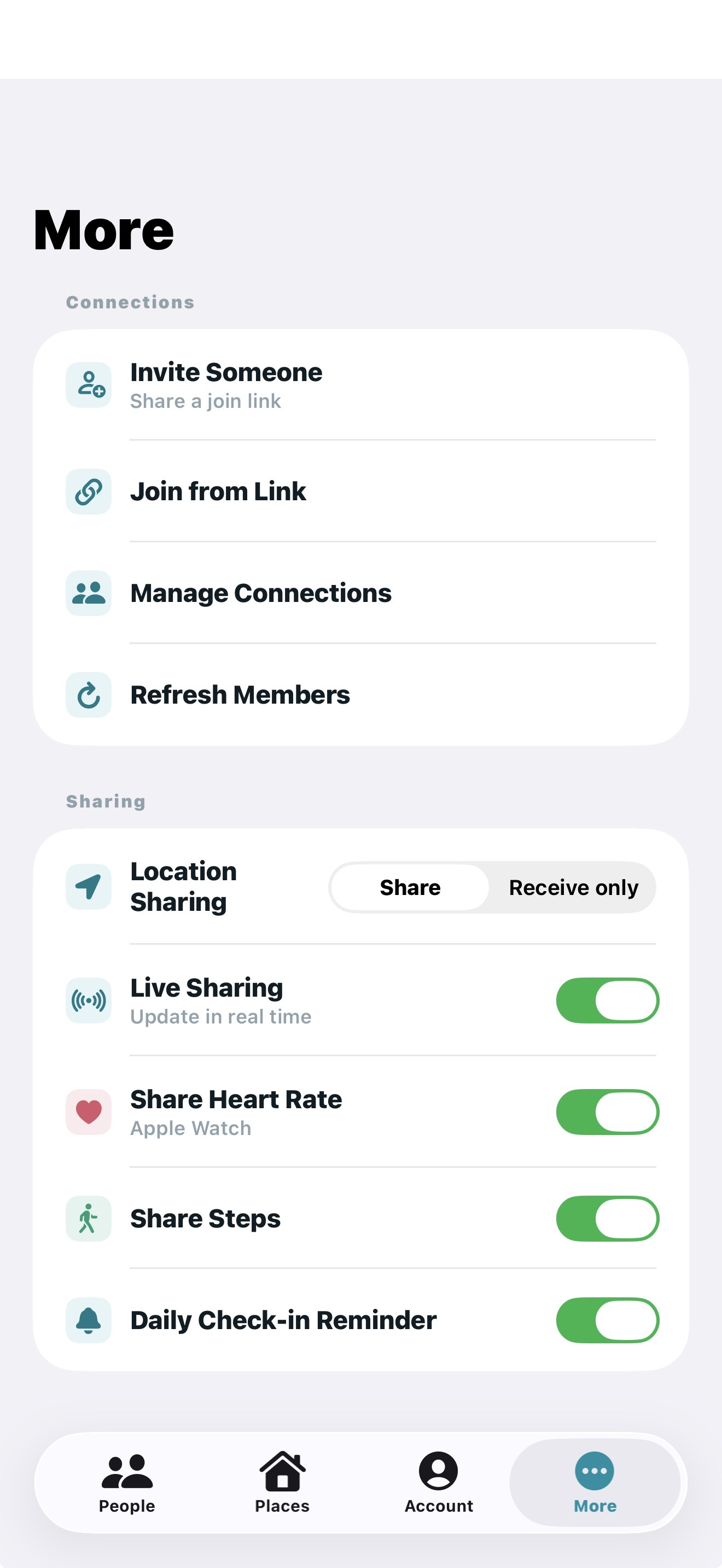
  • You’re in control — no circles: every connection is one-to-one, you choose who sees you, pause or go receive-only any time, and nobody can override you
  • iPhone, Apple Watch, and Android — one person pays: $4.99 covers you and up to 3 people, $8.99 up to 8
Why it exists

I built it for my mom.

My mom lives alone. She doesn’t love technology, and she keeps her phone on battery saver. For years, every unanswered call turned into a story in my head.

Every family app I tried showed me a dot on a map. A dot doesn’t tell you if someone is okay. What tells you is motion: a phone that moved two minutes ago belongs to a person who is up and about.

So Omniscient shows that first, in big type: LAST MOVED · 4 min ago. Now I glance, I put the phone down, and I go on with my day. The worst feeling isn’t bad news. It’s not knowing.

— Dayne, founder

Three steps

Glance, don’t nag.

Three steps, and the question answers itself.

1

Sign in

Free for 14 days, no card. You are in the app in under a minute.

2

Invite one person

Mom, your new driver, your partner. They tap Accept. Your free 14 days start the day they do, so there is time to get it onto their phone.

3

Glance, don’t ask

“Mom moved 4 minutes ago.” That is all you needed to know. Put the phone down and go on with your day.

What You See

Built to answer one question: are they okay?

Omniscient is not a social network and not a map full of dots. It’s a focused awareness app for the few people you actually worry about. Works between iPhones, Android phones, and Apple Watch.

01

Last moved, live

The signal nobody else shows you: how long since each person’s phone or Apple Watch moved, updated live while you watch. Plus where they are, how far away, and labels like Home, Work, or School.

02

Check-ins, on your schedule

A notification at the times you choose, up to six a day: “Mom is probably up — her phone moved at 7:40 this morning.” Morning, noon, evening. The question answers itself before you ask it.

03

Quiet-phone alert

Pick a limit, say 4 hours. If Mom’s phone hasn’t moved by then, or stops reporting, you get one alert: “No movement from Mom’s phone since 9:10 AM.” And one more when it moves again. Only when something looks wrong; never while driving.

04

Ask Siri

“Hey Siri, ask Omniscient to check on Mom.” Siri answers with when her phone last moved, where she is, and her battery. Included with your subscription. iPhone, Apple Watch, AirPods, and the car.

05

On the phone while driving

A red badge the instant a driver handles their phone. Want to know the moment it happens? Set an alert: over the speed you pick, or phone in hand while moving. One alert per drive, no lecture.

06

Weekly driving reports

Miles, trips, hard braking, hard acceleration, speeding, and phone handling. Only real events count, and the score is fair by design. Drivers can turn reports off any time.

07

A day at a glance

Each person’s stops and drives for today, up to 14 days back, built from the same trip summaries. No new tracking.

08

Health at a glance

Heart rate and steps for people who share them, from Apple Watch or the phone’s own sensors. Optional, and off with one switch.

09

One price for the family

Free for 14 days, then $4.99 a month with everything included — Siri, driving reports, all of it. One person pays: $4.99 covers you and up to 3 people, $8.99 up to 8. Nobody you invite pays. Works across iPhone and Android.

The moment something looks wrong, not when you remember to look.

OMNISCIENT1:15 PM
No movement from Mom’s phone
Mom’s phone hasn’t moved since 9:10 AM, at home. Battery 61%.

You set how long without movement counts as quiet. One alert per quiet stretch, never while the person is driving, and every message says what the phone did.

Also for a new driver

OMNISCIENTnow
Chase’s phone reported 78 mph
Chase’s phone reported 78 mph at 3:42 PM. Your alert is set at 75.
OMNISCIENTnow
Chase’s phone was used while driving
Picked up, unlocked, or used for a call while the car was moving, at 3:42 PM.

You set the speed. One alert per drive, the moment it happens, plus a fair weekly report every Monday. iPhone and Android.

Use Cases

How can Omniscient help you?

Every unanswered text turns into a story in your head. If someone’s phone moved recently, they’re almost certainly awake and OK. That simple signal ends the story.

♡

Check on someone who lives alone

See whether a friend or family member's device has moved recently so you're not left wondering if they're OK.

☆

Keep an eye on a new driver

See the moment they pick up the phone behind the wheel, and read a weekly report that’s fair to them. Drivers can switch reports off.

♥

Monitor a loved one’s heart rate

If someone is in the hospital, a nursing home, or caring for your child at home, seeing their current heart rate and movement gives you peace of mind. Heart rate requires an Apple Watch.

☾

Know if someone is awake before calling

Worried it's too early or too late to reach out? If their phone has been moving recently, they're almost certainly awake.

Privacy by Design

No circles. You control exactly who sees you.

Every connection is one-to-one. Nobody joins a group, nobody sees you without your approval, and nobody can override you when you pause. Accept a connection, receive updates, and decide exactly what you share back.

✓

Connect by private code

Nobody sees you without your approval. No social feed, no friend graph, no discoverability.

↘

Pause, receive-only, or remove

Pause sharing, switch to receive-only, or remove a connection any time.

⊘

Quiet unless someone is looking

Live updates only while a connection is watching. The rest of the time your phone stays quiet, for battery and privacy. No ads, no selling your data.

Important: Omniscient reports what a phone did, like when it last moved. It can’t tell how someone feels or whether they’re safe. Omniscient is a peace-of-mind app, not a safety, medical, or emergency service. The signals it shows can be inaccurate, delayed, or wrong. Always contact someone directly if you’re worried, and call 911 in an emergency. See our Privacy & Disclaimers for details.